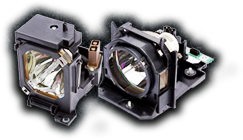

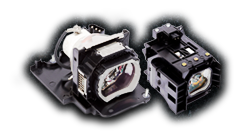
Replacing a projector lamp is one of those maintenance tasks that looks intimidating, but is actually well within reach. With the right precautions and about 15 minutes of your time, you can save yourself a service call and get your projector back to full brightness.
But looks simple doesn’t mean no risk. Projector lamps contain mercury, operate under pressure, and reach scorching temperatures during use. Installing one carelessly can damage your projector, void your warranty, or, in rare cases, cause injury. At MyProjectorLamps, we’ve shipped thousands of replacement lamps, and we want every customer to install theirs safely and correctly.
Here’s exactly how to do it right.
Before You Start: Safety First
Projector lamps are not standard light bulbs. They require specific handling precautions that you should follow every time, without exception.
Let the projector cool completely. A projector lamp that was recently running can be hot enough to cause serious burns. After powering down, wait at least 30 minutes or ideally a full hour before opening the lamp compartment. The glass and metal components retain heat far longer than the outside of the projector.
Unplug the power cord. Don’t just power off the projector. Disconnect it from the wall outlet. Lamps operate at high voltage, and residual power in the system can be dangerous.
Work in a clean, well-lit area. You’ll be dealing with small screws and a delicate component. A cluttered workspace increases the chance of dropping the lamp or losing hardware.
Never touch the bare bulb with your fingers. Oils from your skin create hot spots on the glass that dramatically shorten lamp life and can cause the bulb to shatter. Always handle the lamp by its plastic housing only.
Wear safety glasses and gloves if possible. While rare, lamps can crack during handling, and broken lamp glass is sharp and contains mercury vapor.
What You’ll Need
- Your replacement projector lamp (matched to your exact projector model)
- A Phillips-head screwdriver (size varies by model — typically #1 or #2)
- A clean, lint-free cloth
- Optional but recommended: safety glasses, nitrile or cotton gloves
- Your projector’s user manual (or the installation guide that came with your lamp)
Step-by-Step Installation
Step 1: Power Down and Unplug
Turn off the projector using the remote or power button — do not unplug it while hot. Let the cooling fan run through its complete cycle until it shuts off automatically. Then wait 30-60 minutes for the lamp to cool fully before proceeding. Once cooled, unplug the power cord from the wall.
Step 2: Position the Projector
Place the projector on a flat, stable surface at a comfortable working height. If your projector is ceiling-mounted, you’ll typically need to remove it from the mount for lamp replacement, though some models have a bottom-access lamp door designed for in-place changes. Check your manual.
Step 3: Locate the Lamp Compartment
The lamp door is usually on the bottom, side, or back of the projector, marked with a lamp icon or labeled “Lamp.” It’s secured by one or two small screws. Common locations by brand:
- Epson, BenQ, Optoma: Usually, the top or side panel
- NEC, Panasonic: Often, the side or rear panel
- Sony, Sharp: Typically, the bottom panel
- Home theater projectors: Often, a dedicated rear access door
Step 4: Remove the Lamp Cover
Loosen the retaining screws on the lamp cover. These are usually captive screws — they stay attached to the cover so you don’t lose them. Don’t force anything. If a screw isn’t turning, make sure you’re turning it the right direction and using the correct screwdriver size.
Lift or slide the cover off according to your projector’s design.
Step 5: Release the Old Lamp
Inside the compartment, you’ll see the lamp module — a plastic housing with the bulb and reflector sealed inside. It’s held in place by 2-4 additional screws (also usually captive). Loosen these screws completely.
Once the screws are loose, the lamp module typically has a small plastic handle or tab. Grip it firmly and pull the module straight out of the projector. Do not twist or pry. If it resists, double-check that all screws are fully loosened.
Step 6: Inspect the Area
Before inserting the new lamp, take a moment to:
- Check for broken glass. If the old lamp ruptured, carefully vacuum the compartment with a low-power vacuum or wipe with a damp cloth. Wear gloves and avoid breathing in any dust.
- Clean the lamp compartment. Gently wipe away dust from around the lamp bay with a dry, lint-free cloth.
- Inspect the air filter. Many projectors have a filter near the lamp compartment — now is the perfect time to clean or replace it.
Step 7: Unpack the New Lamp
Open the new lamp box carefully and remove the lamp module. Handle it by the plastic housing only — never touch the glass bulb. If you do accidentally touch the glass, wipe it gently with a lint-free cloth and rubbing alcohol before installation.
Keep the protective packaging in case you need to return the lamp under warranty.
Step 8: Install the New Lamp
Align the new lamp module with the compartment — there’s typically only one orientation that works. Slide it in firmly but gently until it’s fully seated. You should feel it meet the electrical contacts at the back of the bay.
Tighten the retaining screws in a criss-cross pattern (if there are multiple) to ensure even seating. Don’t over-tighten, snug is enough.
Step 9: Replace the Lamp Cover
Put the lamp cover back in place and re-tighten its screws. Again, don’t over-tighten.
Step 10: Reset the Lamp Timer
This step is critical and often overlooked. Your projector tracks lamp hours using an internal timer that needs to be manually reset after a lamp replacement. If you don’t reset it, the projector will keep counting from the old lamp’s hours and warn you to replace the lamp prematurely.
The reset procedure varies by brand. Common paths:
- Epson: Menu → Reset → Reset Lamp Hours → Yes
- BenQ: Menu → System Setup → Reset Lamp Timer → Reset
- Optoma: Menu → Options → Lamp Settings → Lamp Reset → Yes
- NEC: Menu → Reset → Clear Lamp Hours
- Panasonic: Remote → Hold “Enter” on startup, or Menu → Status → Lamp Runtime → Reset
If you can’t find it in the menu, your projector’s manual will walk you through it. (Lost your manual? We host thousands of them at myprojectorlamps.com/projectormanuals.html.)
Step 11: Power On and Test
Plug the projector back in and power it on. You should see:
- A brighter, more vivid image than before
- No “Replace Lamp” warning
- Normal startup sequence with no flickering
If the projector doesn’t power on or displays an error:
- Double-check that the lamp module is fully seated
- Make sure all screws are tightened and the cover is properly in place
- Verify you installed the correct lamp for your projector model
What to Do with the Old Lamp
Used projector lamps contain mercury and should never be thrown in household trash. Proper disposal options include:
- Lamp recycling programs are offered by many municipalities, and electronics retailers (Home Depot, Lowe’s, and Best Buy often accept them)
- Hazardous waste collection events in your community
- Mail-back recycling services like those offered by LampRecycle.org
- Your local recycling center, call ahead to confirm they accept projector lamps
Store the old lamp in the packaging from your new one until you can dispose of it properly. Treat it gently because even a spent lamp can still shatter and release mercury.
Troubleshooting Common Issues
Lamp warning light still on after install: You forgot to reset the lamp timer. See Step 10.
Projector won’t power on: The lamp module isn’t fully seated. Open the cover and press the lamp in firmly, then re-tighten.
Image is dim or wrong color: You may have a defective lamp, or the lamp may need a few hours to fully stabilize (some new lamps are slightly dim for the first 10-20 hours of use).
New lamp fails quickly: This could indicate a problem with your projector’s power supply or ballast, or you may have received a defective lamp. Contact the seller for a replacement under warranty.
When to Call a Professional
Most projector lamp replacements are DIY-friendly, but consider professional service if:
- Your projector is ceiling-mounted in a hard-to-reach location
- The old lamp ruptured and left significant debris
- You’re uncomfortable working with electronics
- Your projector is a large venue or commercial unit (these often have dual-lamp systems and more complex procedures)
- The warranty on your projector specifically requires professional service
Need a Replacement Lamp?
If you’re getting ready for a lamp swap, we can help you find the exact right replacement. At MyProjectorLamps:
- Every lamp is backed by our 180-day guarantee
- We offer free US ground shipping on all orders
- Our Lowest Price Promise means you won’t find the same lamp cheaper elsewhere
- Our support team can verify compatibility before you buy
Browse projector lamps by brand, search by your projector model, or call 1-888-785-2677 for help identifying the correct lamp.
Questions about installation or need help identifying your lamp model? Email us at sales@myprojectorlamps.com — we’re happy to help.