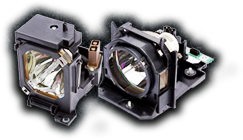

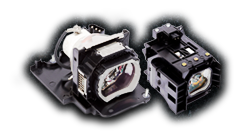
If your projector image is looking dim, taking longer to power on, or showing unusual color shifts, then your lamp may be nearing the end of its life. But how long should a projector lamp last in the first place, and what can you do to get the most out of yours?
At MyProjectorLamps, we’ve been helping customers replace projector bulbs for over a decade, and “How long will this lamp last?” is one of the most common questions we hear. The honest answer is: it depends. Lifespan varies based on the lamp technology, the projector model, your usage habits, and the environment your projector lives in. Below is a walkthrough of everything you need to know.
The Short Answer: Typical Projector Lamp Lifespans
Most standard projector lamps are rated for somewhere between 1,500 and 5,000 hours of use, while Eco Mode can push that number as high as 6,000 to 10,000 hours. Here’s a quick breakdown by lamp technology:
| Lamp Type | Standard Mode | Eco Mode |
|---|---|---|
| UHP / UHE (Mercury-based) | 1,500 – 3,000 hrs | 3,000 – 6,000 hrs |
| Metal Halide | 2,000 – 4,000 hrs | 4,000 – 6,000 hrs |
| LED | 20,000 – 30,000 hrs | 30,000+ hrs |
| Laser | 20,000 – 30,000 hrs | 30,000+ hrs |
The vast majority of business, classroom, and home theater projectors sold over the last 20 years use UHP (Ultra High Performance) or UHE (Ultra High Efficiency) mercury-vapor lamps. These are the lamps most of our customers are replacing.
What Actually Happens When a Lamp “Dies”
Projector lamps don’t usually fail all at once like a household light bulb. Instead, they degrade gradually. There are three things you’ll typically notice as a lamp approaches end-of-life:
- The image dims. A new lamp produces its rated brightness (measured in lumens). By the time a lamp reaches its rated lifespan, it’s often producing only 50% of its original brightness. Many users don’t notice this gradual decline until they replace the lamp and see the difference.
- Colors shift. Mercury-vapor lamps change color temperature as they age, often taking on a yellow or greenish cast. If your whites don’t look white anymore, the lamp is likely the culprit.
- Startup becomes unreliable. Lamps near end-of-life may flicker, take longer to reach full brightness, or fail to strike (turn on) at all. Eventually, many lamps will simply burst or burn out, and sometimes with a noticeable pop.
Most modern projectors also display a warning message or light when the lamp reaches its rated hours, reminding you it’s time for a replacement.
5 Factors That Affect How Long Your Lamp Lasts
The manufacturer’s rated lifespan assumes ideal conditions. In the real world, plenty of factors can shorten or extend the life of your lamp.
- Usage Mode (Standard vs. Eco)
Running your projector in Eco Mode, which reduces brightness by 20-30%, can nearly double the life of your lamp. If you don’t need maximum brightness (for example, in a dark home theater room), Eco Mode is the best way to extend lamp life.
- Power Cycles
Every time you turn a projector on and off, the sudden electrical stress shortens the lamp’s lifespan. Rapidly cycling the projector on and off throughout the day causes far more wear than leaving it running for a single long session. If you’re using your projector for back-to-back short meetings, consider leaving it on between sessions rather than powering it down repeatedly.
- Ventilation and Dust
Heat is the enemy of projector lamps. Projectors rely on internal fans to keep the lamp cool, and when air filters get clogged with dust, the lamp runs hotter and dies faster. Check your projector’s air filter every few months and clean or replace it as needed.
- Installation Environment
Projectors installed in hot rooms, enclosed cabinets, or ceiling positions without adequate airflow experience much shorter lamp life. Make sure there’s at least a few inches of clearance around the projector’s vents.
- Proper Shutdown
Always let the projector’s cooling cycle complete before unplugging it. Yanking the power cord while the lamp is still hot is one of the fastest ways to destroy a bulb. Modern projectors manage this automatically as long as you use the power button rather than the wall switch.
How to Check Your Projector’s Lamp Hours
Most projectors track lamp hours in the onboard menu. The exact path varies by brand, but you’ll generally find it under:
- Epson: Menu → Info → Lamp Hours
- BenQ: Menu → System Setup → Information
- Optoma: Menu → Options → Lamp Settings
- NEC: Menu → Information → Usage Time
- Panasonic: Menu → Status → Lamp Run Time
If you’re not sure where to look, your projector’s user manual will tell you. (Don’t have the manual? We host thousands of free projector manuals at myprojectorlamps.com/projectormanuals.html.)
Tips to Extend the Life of Your Projector Lamp
Here are the practices that consistently make the biggest difference:
- Use Eco Mode whenever possible — the easiest way to nearly double lamp life
- Don’t power-cycle unnecessarily — leave the projector on for short breaks between sessions
- Clean air filters regularly — every 3-6 months for most installations
- Let the cooling cycle finish — never unplug a hot projector
- Mount with proper ventilation — keep vents clear and avoid enclosed spaces
- Keep the projector stable — moving a projector while the lamp is hot can damage the delicate filament
- Use a surge protector — power spikes can instantly kill a lamp
When Should You Replace Your Projector Lamp?
We recommend ordering a replacement when any of the following is true:
- You’ve reached 75-80% of the rated lamp hours
- You notice a clear drop in brightness or a shift in color
- The projector displays a “Replace Lamp” warning
- The lamp has started flickering or failing to strike reliably
It’s smart to keep a spare lamp on hand, especially if you rely on your projector for business presentations, classroom teaching, or church services. There’s nothing worse than a dead lamp the morning of a big event.
Finding the Right Replacement Lamp
Every projector model takes a specific lamp, and using the wrong one can damage your projector or create a safety hazard. At MyProjectorLamps, you can find the correct replacement in one of three ways:
- Search by projector brand and model on our homepage.
- Search by lamp part number, which is usually printed on the old lamp or in your manual.
- Call our support team at 1-888-785-2677, and we’ll identify the right lamp for you.
Every lamp we sell is backed by our 180-day guarantee, free US ground shipping, and our Lowest Price Promise. If you find the same lamp cheaper elsewhere, we’ll beat the price.
Ready to Replace Your Lamp?
Don’t wait until your projector goes dark in the middle of an important moment. Browse projector lamps by brand or search by model to find the exact replacement for your projector. And if you have questions about compatibility, lifespan, or installation, our team is standing by — call us at 1-888-785-2677 or email sales@myprojectorlamps.com.
Have a question we didn’t cover? Leave a comment or reach out — we’re always happy to help you get the most life out of your projector.